


Key Takeaways
Finding the right cat picture is part taste, part practicality, and part respect for the image’s creator and subject.
- Decide where the image will appear before you start searching.
- Check licensing terms instead of assuming a free image is unrestricted.
- Match the cat’s expression, colors, and composition to your audience.
- Use natural light and patience when taking your own photographs.
- Edit for the final screen, print, or platform rather than editing blindly.
Define what you need from a cat picture
A cat picture can be a personal keepsake, a social post, a website asset, or a printed piece of art. Those uses call for different dimensions, resolutions, and moods. Start by deciding what the picture needs to do before getting attached to a particular image. A beautiful photograph in the wrong shape may still be difficult to use.
Personal projects, social media, and profile images
For a profile image, choose a clear subject and a composition that still works when reduced to a small circle or square. A cat facing the camera usually reads more quickly than a distant scene, while a little empty space can make later cropping easier. For social posts, consider whether the image should feel playful, calm, curious, or quietly affectionate.
A personal project gives you more freedom, but consistency still helps. If you are making a set of images, use a similar color treatment or background so the collection feels intentional. You can also browse cat care guides for ideas about the behaviors and environments that make a cat feel recognizable rather than staged.
Blog posts, websites, and marketing materials
Website images need to support the surrounding message, not compete with it. Look for room around the cat if you expect to add a headline, and check that the subject remains clear when the image is displayed on a phone. A wide image may suit a banner, while a vertical crop is often better for a mobile feed.
The audience matters as much as the dimensions. A relaxed cat in a home setting may suit an educational article, while an energetic pose might work better for a playful announcement. If the image is connected to feline wellbeing, avoid pictures that show obvious distress simply because the expression looks dramatic.
Wallpapers, prints, and creative designs
Wallpapers reward images with strong atmosphere and enough resolution to fill a large screen without revealing blur. Prints need even more care: inspect the original file, check its pixel dimensions, and think about the paper and final size before ordering. A picture that looks crisp on a phone may feel soft on a poster.
For decorative projects, the image can become one layer in a broader composition. You might pair it with a simple frame, a muted background, or pillow covers when planning a coordinated room palette. Keep the cat as the visual anchor, though; too many surrounding patterns can make an otherwise lovely picture feel busy.
Matching the image to your audience and purpose
The best choice reflects the people who will see it. Children may respond to bright colors and expressive poses, while a quiet editorial project may call for a restrained portrait with gentle light. Consider cultural context, accessibility, and whether the image communicates the intended feeling without a long explanation.
A useful test is to describe the image in one sentence. If the description focuses on the exact mood or action you want, you are probably close. If it only lists technical qualities such as “high resolution,” keep searching for a stronger emotional fit.
Find high-quality cat pictures online
Online libraries make it easy to find a cat picture within minutes, but speed can encourage careless choices. Search with a clear purpose, inspect the original file, and record the source while you work. Free collections, stock libraries, and public archives each have different strengths. The Library of Congress, for example, can be a worthwhile place to explore historical photographs, posters, and illustrations.
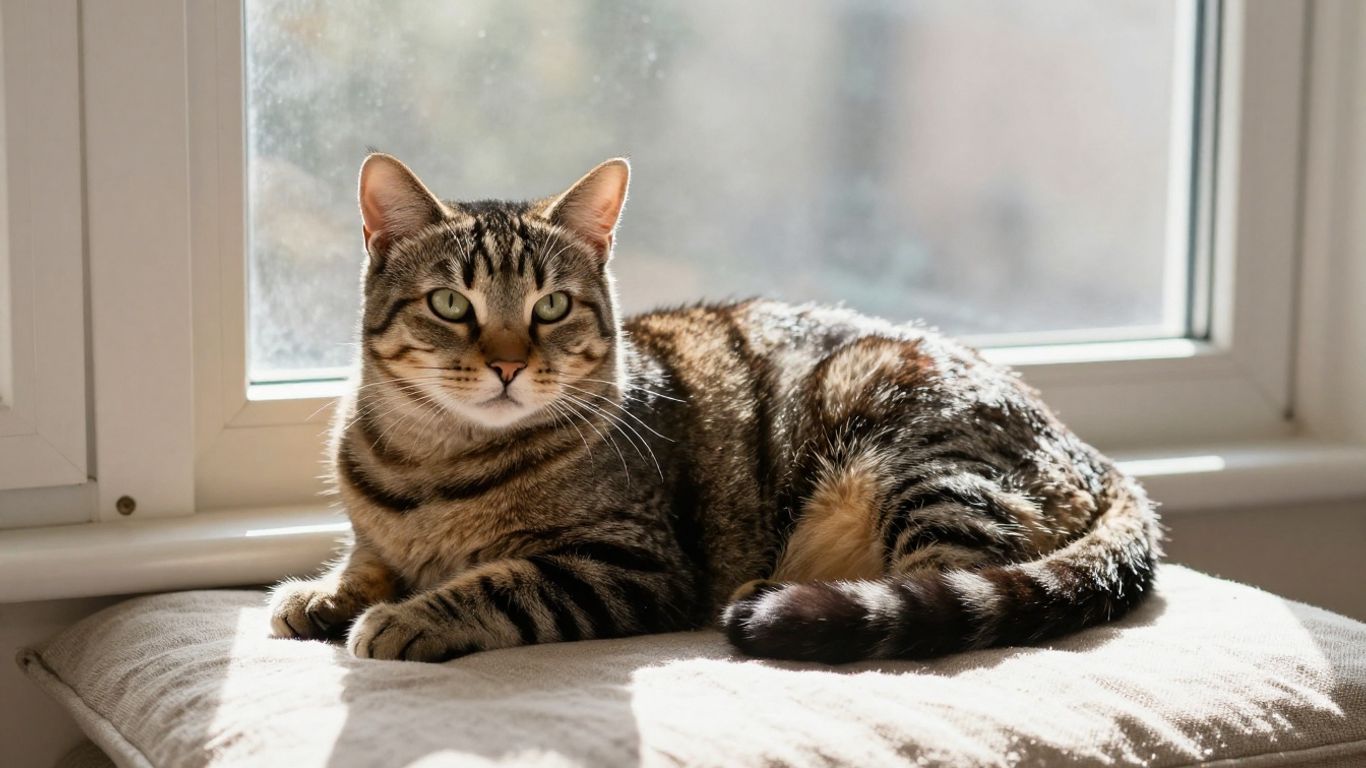
A strong search process narrows the field without making the result feel generic. Start broad, then refine by breed, setting, pose, color, or orientation. Save a few candidates rather than using the first acceptable image, since small differences in focus and framing become obvious once the picture is placed in a design.
Free stock photo websites
Stock websites are useful when you need predictable file sizes, searchable categories, and a broad range of modern photography. Search for the setting as well as the animal: “cat on linen sofa,” “black cat window light,” or “kitten close-up” will usually produce more useful results than simply typing “cat.” Read the licensing information on the individual image page, not only the site’s general overview.
Some collections include editorial photographs, illustrations, and user submissions alongside images intended for wider reuse. Treat each result as a separate asset with its own terms. A polished thumbnail is only the beginning of the evaluation.
Public-domain and library collections
Public-domain and library collections can offer unusual images with a sense of history. They are especially useful for posters, educational projects, and designs that need something less predictable than a modern studio portrait. Look for a rights statement, collection note, or item record that explains how the image may be used.
Older images can have technical limitations, including faded contrast or small dimensions. That is not necessarily a problem if you want a collage, a small print, or a deliberately vintage look. It becomes a problem when you expect a tiny scan to fill a large, modern display.
Search filters for breed, pose, and style
Filters help you move from a vague idea to a workable shortlist. Breed and coat color can establish the subject, while pose and orientation determine how easily the image fits a layout. Add terms such as “negative space,” “profile,” “full body,” “close-up,” or “vertical” when the composition matters.
It also helps to search by behavior rather than appearance. “Cat stretching,” “cat hiding,” or “cat watching birds” may produce more natural moments than a breed-only search. For owners photographing a nervous animal, understanding what cats enjoy and where they feel secure can lead to more respectful visual ideas.
How to spot sharp, well-composed images
Open the largest available version and inspect the eyes, whiskers, and fur around the face. These details reveal motion blur, over-sharpening, and compression artifacts quickly. Then step back and check the whole frame: a sharp cat can still be lost in a cluttered background.
Use this simple review before downloading a finalist:
- Check focus on the eyes or the intended point of attention.
- Look for distracting objects touching the cat’s head or body.
- Confirm that the crop leaves enough space for the planned placement.
- Inspect highlights and shadows for detail that has been lost.
After that check, view the image at the size you will actually use. A picture that feels slightly plain at full resolution may be exactly right in a small card, while a dramatic close-up may overwhelm a page.
Check image licensing and usage rights
A picture’s availability does not automatically grant permission to use it everywhere. Licensing can affect commercial work, edits, attribution, resale, and redistribution. Keep a note of the source page and the terms that applied when you downloaded the file. This small habit prevents confusion months later.
Understanding royalty-free, public-domain, and Creative Commons images
Royalty-free usually means you do not pay a fee each time the image is used, but it does not mean the image has no rules. Public-domain material generally has fewer copyright restrictions, although privacy, trademark, or cultural concerns may still matter. Creative Commons licenses vary, so read the specific license attached to the image.
Do not rely on labels such as “free” or “royalty-free” without opening the details. The permitted uses may differ between an unpaid personal project and a business campaign. When the terms are unclear, choose another image or ask the rights holder for clarification.
Commercial use and attribution requirements
Commercial use can include more than a traditional advertisement. A business website, paid social campaign, product packaging, or downloadable template may all fall under commercial use depending on the license. Some images allow those uses only with attribution, while others prohibit them entirely.
Write down the creator, source, license, and required credit when applicable. For a design with many contributors, keep those records in the project folder rather than trusting memory. If you are preparing health-related content or directing readers toward a private laboratory, be especially careful not to imply that a photographed person or animal endorses the service.
Common restrictions on editing and redistribution
Licenses may limit cropping, color changes, overlays, or the creation of merchandise. Even when ordinary edits are allowed, a creator may object to uses that are defamatory, misleading, or associated with sensitive subjects. Redistribution is another common boundary: being allowed to place an image in a finished article does not necessarily mean you can upload the original file for others to download.
Keep the distinction between a finished design and the source asset clear. If a client needs the editable image file, verify that the license permits that handoff. When an image will be used in a product, check the rules before the design is finalized.
How to verify a picture’s original source
Reverse-image searching can reveal earlier uploads, but it is not a complete ownership test. Follow the image back to the creator, archive, or stock page and compare the file details. Look for a consistent author name, date, license statement, and contact information.
Be cautious when several websites display the same image without credit. A repost may have removed the original terms or altered the attribution. For unusual historical imagery, a collection record is often more reliable than a random search result; even a resource such as Travel Fx is a reminder that privacy and data policies deserve attention when a website asks for personal information.
Choose the right style of cat picture
Style is not just a matter of whether a cat looks cute. It includes lighting, distance, color, gesture, background, and the amount of visual information around the subject. A thoughtful choice makes the image feel connected to its setting rather than pasted into it. Let the project’s mood guide the search, then allow a little room for surprise.
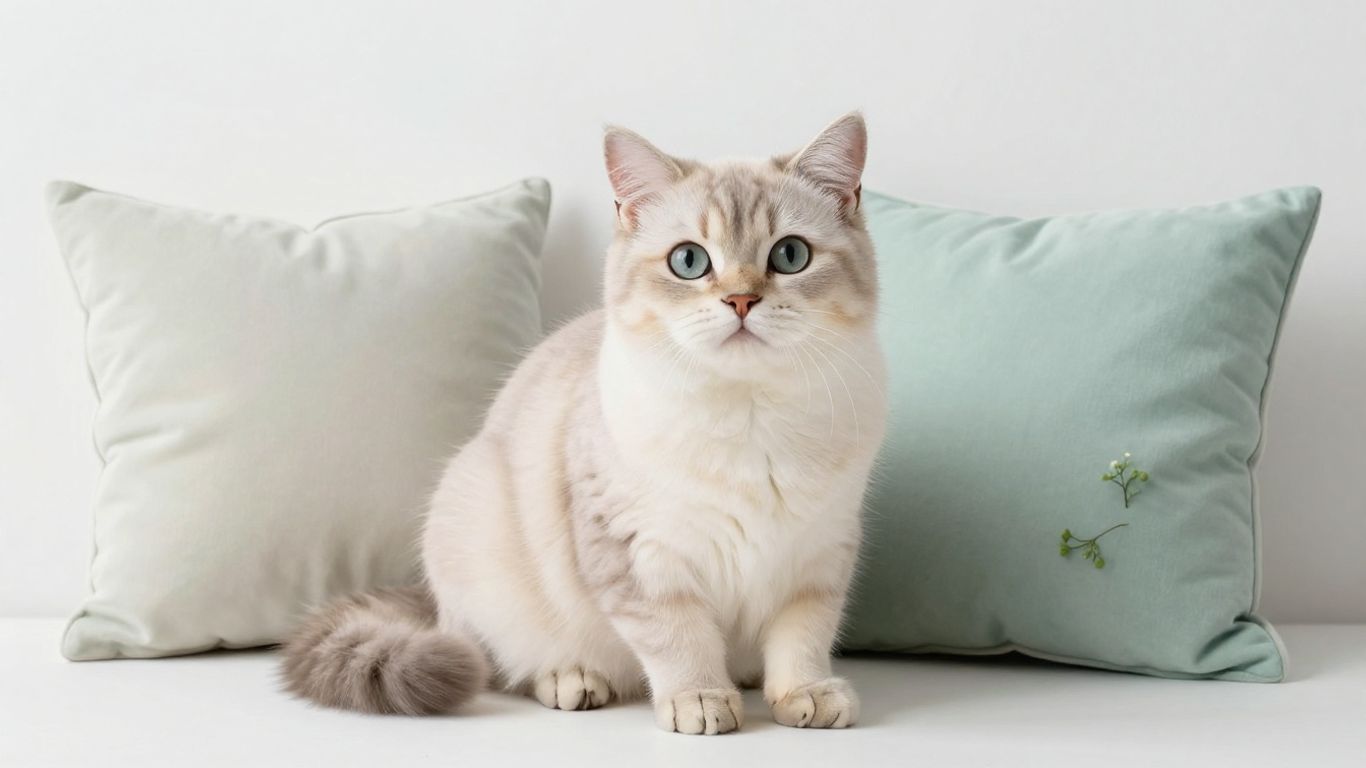
Cute and playful cat photography
Cute images often work because they show a familiar behavior: a curious head tilt, a stretch, a paw reaching toward something, or a kitten asleep in an awkward position. Look for genuine expressions instead of forcing a pose. The small details around the cat, such as rumpled fabric or a favorite toy, can make the scene feel warm and believable.
Playful photography is especially effective for casual posts and friendly announcements. Keep the surrounding design simple enough that the gesture remains readable. A funny pose loses some charm when it is buried beneath decorative elements.
Aesthetic, minimalist, and lifestyle images
Minimalist cat photography uses restraint. A clean wall, a patch of window light, or a single piece of furniture can provide enough context without distracting from the animal. Neutral colors and generous negative space also make the image easier to adapt for text-led layouts.
Lifestyle images feel more lived-in. They might show a cat beside a reading chair, tucked into a blanket, or observing a household routine. These scenes can be especially suitable for educational writing about making a home feel safe, including guidance on cat stress relief.
Funny cat pictures and reaction images
A reaction image works when the expression is instantly readable and the surrounding context is easy to add. Choose a frame with a clear face and avoid images where the joke depends on mocking fear, pain, or obvious discomfort. Humor lands better when the cat appears surprised, sleepy, judgmental, or determined rather than distressed.
If you add a caption, make sure it does not change the meaning in a misleading way. Keep text away from the eyes and whiskers, and check how it reads on a small screen. A little restraint usually makes the joke stronger.
Illustrations, artwork, and AI-generated images
Illustrations can solve problems that photography cannot, particularly when you need a whimsical scene, a consistent character, or a specific color palette. AI-generated images can also be useful for concept work, but inspect them carefully for strange paws, uneven whiskers, incorrect eyes, or objects that do not make physical sense.
Label synthetic imagery honestly when the context calls for it. Do not use an invented cat picture to imply a real rescue story, medical result, or customer experience. If the image is meant to support a feline wellbeing message, accuracy and kindness matter more than novelty.
Matching colors and mood to your project
Color creates an immediate emotional cue. Warm creams, browns, and soft golds can feel domestic and reassuring, while cool blues and strong shadows may feel quiet or solitary. Contrast should support the message: a high-energy project can handle vivid color, but a calming topic may benefit from gentler tones.
Build a small palette from the image before adding other design elements. This keeps buttons, borders, and background colors from competing with the cat. Historical images from LIFE Magazine’s cat photographs can also offer inspiration when you want a more documentary or nostalgic mood.
Take a better cat picture yourself
Good cat photography depends less on expensive equipment than on observing the animal. Cats rarely perform on command for long, and the most appealing images often happen between planned poses. Prepare the room first, then give the cat time to settle. A relaxed subject will always look more natural than one being repeatedly repositioned.
Choosing natural light and a clean background
Window light is often flattering because it is broad and soft, especially when filtered through a curtain. Place the cat near the light rather than directly in a harsh beam, and watch for bright patches that erase detail in white fur. A clean background helps the viewer notice the face, posture, and texture.
Before shooting, remove only the distractions that truly compete with the subject. You do not need a perfect room; one cleared chair or a tidier corner may be enough. Simple surroundings also make later cropping easier.
Capturing expressive poses and natural behavior
Keep the camera ready while the cat is doing something ordinary. Stretching after a nap, watching a window, grooming, or investigating a box can produce more character than a forced stare. Lower yourself to the cat’s eye level when possible, since that perspective creates a stronger sense of connection.
Watch the ears, tail, and posture as well as the face. A wide-eyed expression may signal unease rather than amusement, and a flattened posture is not a pose to prolong. Let the cat move away and return on its own terms.
Camera and smartphone settings that help
Use a faster shutter speed when the cat is moving, and tap on the eyes to set focus on a phone. Burst mode can help with a brief gesture, but delete the near-duplicates afterward so the best frame is easy to find. Avoid excessive digital zoom; moving closer usually preserves more detail.
If the room is dim, add light by opening curtains or moving a lamp rather than relying immediately on a harsh flash. Keep the lens clean, especially on a phone, because a faint film can soften the whole image. A few quiet test shots are enough to check exposure.
Keeping cats comfortable and safe during a shoot
Never block a cat’s escape route or place it on an unstable surface for a better angle. Avoid props that can be swallowed, strings that can tangle, and unfamiliar costumes that cause distress. The photograph is not worth turning a normal moment into a frightening one.
Stress can show up as hiding, irritability, or sudden changes in behavior. PAWSONA focuses on practical, research-backed ways to support cats experiencing stress, including creating a calmer home environment. That same principle belongs in photography: reduce pressure first, and the picture often improves as a result.
Timing, patience, and treats
Choose a time when the cat is naturally alert but not frantic. A short session after a nap may work better than interrupting a meal or play session. Treats can reward a calm glance or a return to the room, but never use them to lure a cat into a dangerous position.
Plan for several brief attempts instead of one long production. Put the camera down when the cat loses interest, and try again later. The best image may come after you stop trying to manufacture it.
Edit and optimize a cat picture
Editing should clarify what is already good in the photograph. Begin with the final destination, then make small adjustments that preserve fur texture, natural color, and the cat’s actual expression. Keep an untouched original so you can return to it if the crop or color treatment goes too far.
Cropping for websites, social media, and profile photos
Crop according to the placement, not according to a fixed preference. A profile image may need a tight square around the face, while a website banner benefits from a wider frame with space for text. Keep important features away from the edge and check the crop at its smallest display size.
If you are creating several versions, make a clear naming system such as “cat-square,” “cat-banner,” and “cat-print.” This avoids accidentally uploading a social crop where a full-width image was needed. It also makes revisions much less frustrating.
Adjusting brightness, color, and sharpness
Correct exposure before adding style. Lift shadows gently, protect highlights in pale fur, and adjust color until the cat looks believable beside the background. Sharpness should reveal detail rather than create bright outlines around whiskers and ears.
Make edits while taking regular breaks from the screen. Eyes adapt quickly to a strong color cast, and an image that looked warm and inviting can become orange without you noticing. Compare the edited version with the original before exporting.
Choosing the right file format and resolution
JPEG is convenient for photographs and keeps file sizes manageable, while PNG is useful when you need transparency or crisp graphic elements. For print, retain a high-resolution original and confirm the printer’s requirements. For online use, export a size appropriate to the actual display rather than uploading the largest file by default.
The correct format depends on the image and its destination. A transparent logo treatment needs different handling from a full-frame photograph. When in doubt, test the exported file on the platform where it will appear.
Compressing images without losing quality
Compression is a balance between loading speed and visible detail. Reduce dimensions before applying heavy compression, then inspect the face, eyes, and fine fur at normal viewing size. If artifacts appear around sharp edges, try a slightly higher quality setting or a more suitable file format.
Keep a high-quality master outside the publishing system. That way, you can create a new export later instead of repeatedly compressing an already degraded file. A quick test on both Wi-Fi and mobile data can reveal whether the image is unnecessarily large.
Adding text, borders, or creative effects responsibly
Decorative effects should support the photograph rather than cover its character. Use readable contrast, leave breathing room around the cat, and avoid placing text across the eyes or mouth. Borders can help separate a pale subject from a pale background, but a heavy frame may make a modern image feel dated.
Finally, be honest about what has been changed. Do not edit a cat picture to suggest a medical condition, a rescue circumstance, or a real event that did not occur. Thoughtful editing keeps the image attractive while preserving trust.
Conclusion
The perfect cat picture is not always the most polished one; it is the image that fits its purpose, respects its subject, and remains clear wherever it is used. Search carefully, confirm the rights, photograph patiently, and edit with a light touch. With those habits, even a simple home snapshot can become a memorable and useful piece of visual storytelling.
Frequently Asked Questions
What makes a cat picture high quality?
A high-quality image is sharp where it matters, well exposed, thoughtfully composed, and large enough for its intended use. Natural expression and a distracting-free background matter just as much as pixel count.
Where can I find free cat pictures?
Look through reputable stock libraries, public-domain archives, library collections, and creator websites. Always open the individual image’s licensing information before downloading or publishing it.
Can I use any cat picture from a search engine?
No. Search engines help you discover images, but they do not grant permission to use them. Trace the image to its original source and confirm the license or obtain permission from the rights holder.
What is the best lighting for photographing a cat?
Soft natural light near a window is a reliable starting point. Avoid harsh direct sunlight and use the cat’s position, curtains, or a brighter room to control contrast without causing discomfort.
How do I photograph a cat that will not sit still?
Photograph natural behavior, use burst mode, and keep sessions brief. Give the cat space to move away, and try again when it is calm, curious, or naturally settled.
What file format should I use for a cat photo?
JPEG is usually practical for photographs shared online, while PNG is useful when transparency or crisp graphic elements are needed. For printing, keep a high-resolution original and follow the printer’s specifications.
How can I make a cat photo look good on social media?
Crop it for the platform, keep the subject recognizable at a small size, adjust brightness and color gently, and leave enough breathing room for interface elements or captions. Test the final export on a phone before posting.